Aller au contenu

Messages recommandés

Posté(e) (modifié)

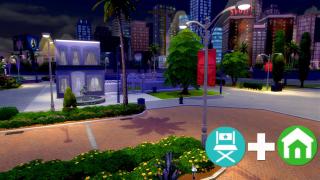
This one I pressed convert to PNG. as you can see it is blurry when i make it full screen in my computer. 🙂 

0x00000000!0x0D694E0E9A1A4ED8_0x00B2D882.png.283fd1f9056d3bb6b2a7fb7c75779ac5.png


and this one is from Olideg's outdoor retreat. it will stay its quality when stretched in a wider screen.

sims-4-logo-icone-icon-pack-jeu-destination-nature-outdoor-retreat-01.png.d2b8c70788faec4160ea809c2615c31c.png

Modifié par PeanutButterJelly200
  • Team
Posté(e)
il y a 50 minutes, PeanutButterJelly200 a dit :

This one I pressed convert to PNG. as you can see it is blurry when i make it full screen in my computer. 🙂 

Right, those high res ones are mostly from Press Kit or fans made, the game doesn't contains high res icons and will definitely look blurry if zoomed in. 🙂


Tip: The quickest way to extract the icons is to use the TOOLS>Packs Extractor then right-click on the desired icons.


To get icons in higher resolution you can use those shared by @olideg here or search the net. 😉

  • Merci ! 1
  • Team
Posté(e)

@PeanutButterJelly200 you get all this in the Packs Extractor, select a pack then on the right side just right-click and select Copy. 😉

ex:

Toddler
Give your toddlers new ways to express their personalities, burn off energy, and make friends.

Type: Stuff Pack
ID: 33  (SP12)
Release: 21
Url:
https://www.thesims.com/store/mac-pc-download-addon-the-sims-4-toddler-stuff


But if you just need to name icons, Packs Extractor will do it for you. ^^

ex: SP12_Toddler_128x128.png


The Copy option in the main screen is just to copy the ResourceKey so that you can search for it later or by using another program.

  • Merci ! 1
  • Team
Posté(e)

Yeah, the Packs Extractor method only works with pack icons.


For the buffs you need to look in the game, use an external tool like S4PE or search the net to determine the name of each buff.


Are you trying to build a list of all Moodlets?

I can try to add something like the Packs Extractor to recover all buffs.


  • Merci ! 1
  • Team
Posté(e)

Hello @PeanutButterJelly200,


😋


I just uploaded a new version with the a new icon tool, I hope you find what you were looking for! ^^


By opening the TOOLS menu, you should discover a new option called Buffs Extractor.

bufftool.png

There are currently no real sort options, so it's a real mess! 😅


Current available icons:  Buffs, Traits and Aspirations

Rejoindre la conversation

Vous pouvez publier maintenant et vous inscrire plus tard. Si vous avez un compte, connectez-vous maintenant pour publier avec votre compte.

Invité
Répondre à ce sujet


×   CollĂ© en tant que texte enrichi.   Coller en tant que texte brut Ă  la place

  Seulement 75 Ă©moticĂŽnes maximum sont autorisĂ©es.

×   Votre lien a Ă©tĂ© automatiquement intĂ©grĂ©.   Afficher plutĂŽt comme un lien

×   Votre contenu prĂ©cĂ©dent a Ă©tĂ© rĂ©tabli.   Vider l’éditeur

×   Vous ne pouvez pas directement coller des images. Envoyez-les depuis votre ordinateur ou insĂ©rez-les depuis une URL.

×
×
  • CrĂ©er...

Information importante

Nous avons placĂ© des cookies sur votre appareil pour aider Ă  amĂ©liorer ce site. Vous pouvez choisir d’ajuster vos paramĂštres de cookie, sinon nous supposerons que vous ĂȘtes d’accord pour continuer. Conditions d’utilisation Politique de confidentialitĂ©