Some Mac users have been experiencing issues with Sims 4 Tray Importer since upgrading to macOS Sierra.
For example:
-- The application "bounces" in the Dock and then disappears.
-- Mono Framework doesn't work.
-- The application cannot find The Sims 4 files.
This tutorial will show you how to install and run S4TI correctly.
1. Download the required files
Firstly, you need to download both Sims 4 Tray Importer and Mono Framework.
@deevo has uploaded an updated version of S4TI for Sierra HERE that includes a debug window. I suggest that you download that option as seen to the left.
Update: It's recommended to download the latest release version from here.
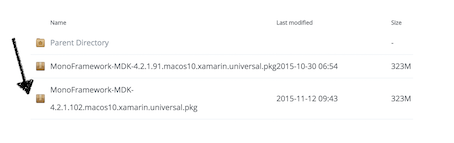
Next, download Mono Framework. You must download the Universal Installer or the application will not work.
There are two sources available to download the framework from. They should both work the same way, but if you don't have success with one, try the other. Update: Latest version require Mono 5.16 (macOS 10.9+) or 5.18 (macOS 10.12+), other versions of Mono might not work with the current version.
Source 1: HERE
Source 2: HERE
2. Install files
Secondly, you need to install the files that you've just downloaded. Some think that you only need to download the Universal Installer to use it. However, you do indeed need to install it.
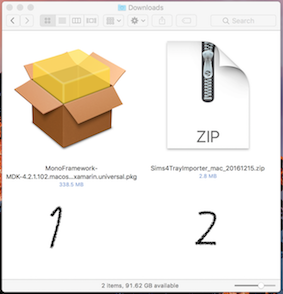
You should have two files in your Downloads folder that look similar to those on the left.
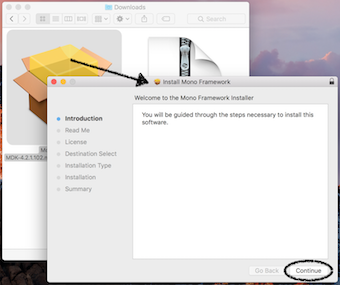
Begin by opening the Mono Framework file. You will be directed through the installer. Follow the prompts until finished (just hit the "continue" button over and over again, really).
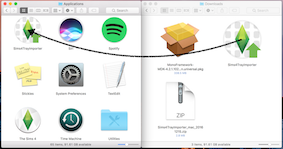
Once you have installed the framework, unzip the S4TI file that you downloaded. The application will now appear in your downloads. If you try to open it from this location it will not work. Click and drag S4TI into your Applications folder.
3. Open and enjoy!
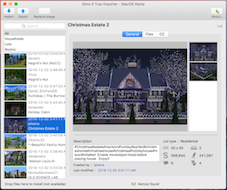
Open the application. This may take a few moments as the application loads your library. Happy Simming!
If S4TI does not load your library:
-- Take a look at the debug window (S4TI > Debug). No lines should be blank and you should see the word "True" in three locations. If you happen to see the word "False", this is your issue. The application is having difficulty finding the location of an aspect of your game.
-- Try changing file locations (S4TI > Select Game Folder).
-- Reinstall your game. Make sure to backup your saves, Tray, Mods, etc!
-- Take a look at THIS POST for more information.